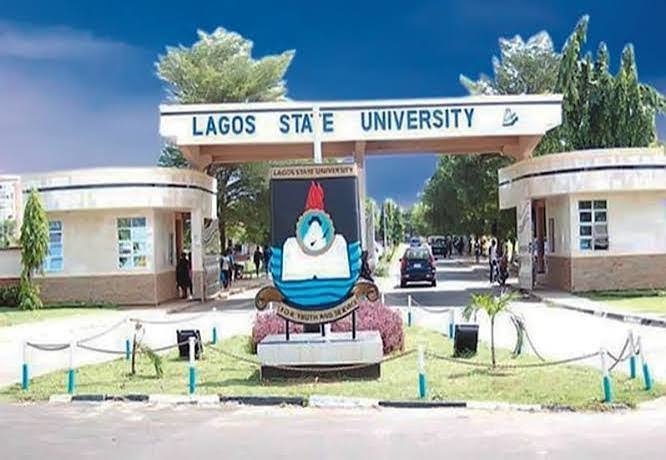
Candidates seeking admission into Lagos State University (LASU) diploma programmes for the 2026/2027 academic session can access the university’s official online application portal to begin their registration.
The portal allows applicants to generate an application number, pay the required application fee, complete their application, and access relevant admission services.
However, some candidates may experience difficulties, such as payment confirmation delays, unsuccessful transactions, or problems signing in after payment.
In this guide, you will learn how to access the LASU Diploma Application Portal for 2026/2027, complete your application, and troubleshoot common payment and login problems.
LASU Diploma Application Portal 2026/2027
The official LASU Certificate and Diploma application portal is available at the link below:
Official portal: https://studentservices.lasu.edu.ng/sw_application/newstudents/
Applicants should use this official university website rather than unofficial registration links.
The portal includes options to generate an application number, pay the application fee for Diploma and Certificate programmes, and access the application process.
Before starting, confirm that your preferred programme is available and that you meet its admission requirements.
How to Apply Through the LASU Diploma Application Portal
Follow these steps to complete your application.
Step 1: Visit the official portal
Open the LASU application portal:
https://studentservices.lasu.edu.ng/sw_application/newstudents/
Check that the website address is correct before entering personal information.
Step 2: Generate your application number
Select the option to generate an application number under Step 1.
Follow the instructions displayed on the screen and save or print the page containing your application number.
Important: LASU’s portal instructions state that the application number can be generated only once. Keep it safe and avoid creating a second number unnecessarily.
Step 3: Pay the application fee
Return to the application homepage and select the payment option specifically labelled for Diploma and Certificate programmes.
Follow the instructions displayed on the official payment platform. Confirm the amount and payment category before completing the transaction.
Step 4: Return to the application portal
After payment, return to the LASU application portal.
Under Step 3, enter your application number and surname in the appropriate fields, then submit the details to continue.
Step 5: Complete your application form
Follow the instructions to provide your personal information, academic qualifications, and other required details.
Review your entries carefully before submitting the form.
Step 6: Print your application form
After successfully completing the application, print or save a copy of your application form and retain your payment confirmation.
Keep these records in case you need to contact the university about your application.
LASU Diploma Application Fee for 2026/2027
The published admission information lists the following application fees:
| Programme | Application fee |
|---|---|
| Certificate programmes | ₦15,000 |
| Diploma programmes | ₦20,000 |
These fees are reported as non-refundable. Confirm the amount shown on the official portal before making payment, as the university’s current instructions take priority.
Do not pay an individual who claims to be an admission agent or use an unofficial payment account.
How to Fix LASU Diploma Application Payment Problems
If you have paid the application fee but cannot continue your registration, try the following troubleshooting steps.
1. Payment successful but portal still shows unpaid
A successful payment may not immediately update the application portal.
What to do:
- Save your transaction receipt and payment reference.
- Wait briefly and refresh the official application portal.
- Sign out and try again using your original application number and surname.
- If the payment status remains unchanged, contact the university’s payment support team.
Avoid paying a second time until the original transaction has been checked.
2. Payment deducted but no receipt received
If money was deducted from your bank account but you did not receive a receipt, check your bank transaction history and any SMS or email notifications.
Record the transaction reference, date, amount, and payment status.
Contact the official payment support team with these details so the transaction can be traced. Do not share your bank PIN, password, or one-time password with anyone claiming to help.
3. Unable to log in after payment
The LASU application portal specifically provides instructions for candidates who experience login problems after making payment.
If your login problem persists, email:
support.payment@lasu.edu.ng
Include your transaction ID and explain the problem you are experiencing. You may also include your application number and relevant payment evidence, but avoid sending unnecessary sensitive financial information.
Use the email address provided on the official LASU portal.
4. Application number or surname not accepted
If the portal rejects your details:
- Check that your application number is entered correctly.
- Confirm that your surname matches the information used during registration.
- Remove accidental spaces before or after the entries.
- Use the original application number rather than generating another one.
- If the problem continues, contact the portal support team.
Do not repeatedly create new application numbers to solve a login problem.
5. Payment page is not opening
If the payment page fails to load, try refreshing it or opening the official portal in another browser.
You can also clear your browser cache, check your internet connection, or try again later if the university’s payment system is temporarily unavailable.
Always begin from the official LASU portal and follow the payment links provided there.
6. Transaction failed but money was deducted
Do not immediately repeat the payment.
First, check the transaction status with your bank or payment provider. Keep the transaction reference and contact the relevant official support team for confirmation.
If the payment was unsuccessful despite the deduction, ask for instructions on transaction reconciliation or reversal.
Official LASU Payment Portal
LASU also operates an electronic payment portal for relevant university payments.
You can access it through the official university website:
https://lasu.edu.ng/epay_paytech/
The payment option you need depends on your application category. For a new Diploma or Certificate application, start from the dedicated application portal and follow its specific payment instructions rather than choosing an unrelated payment category.
LASU Diploma Admission Requirements 2026/2027
Applicants must meet the entry requirements for their chosen programme.
Depending on the course, these may include:
- WAEC, NECO, or equivalent O’Level qualifications.
- The required number of credit passes in specified subjects.
- Relevant professional qualifications or work experience for programmes that allow alternative entry routes.
- Additional course-specific conditions.
Requirements differ between programmes. Check the official portal before paying the application fee.
What to Do After Submitting Your LASU Diploma Application
After submitting your application:
- Save your application number and payment receipt.
- Keep a copy of the completed application form.
- Monitor the official LASU website for admission announcements and further instructions.
- Check the status of your application through the appropriate portal option.
- Contact LASU through its official support channels if you encounter unresolved problems.
Submitting an application does not automatically guarantee admission. Applicants must satisfy the relevant entry requirements and any additional conditions set by the university.
Frequently Asked Questions
What is the official LASU Diploma Application Portal for 2026/2027?
The official application portal is https://studentservices.lasu.edu.ng/sw_application/newstudents/.
What should I do if LASU has deducted my money but my application is still unpaid
Keep your transaction reference and receipt, check the payment status, and contact the official payment support team. Avoid making a duplicate payment until the first transaction has been investigated.
Which email should I contact for LASU application payment problems?
The portal lists support.payment@lasu.edu.ng for persistent login issues after payment. Include your transaction ID when contacting support.
Can I generate another application number if I lose the first one?
The portal instructions state that an application number can be generated only once. Check your saved records and contact the university’s support team if you cannot retrieve it.
Is completing the LASU Diploma application a guarantee of admission?
No. Candidates must meet the requirements for their selected programme and comply with the university’s admission procedures.
Conclusion
The LASU Diploma Application Portal for 2026/2027 enables prospective candidates to generate their application numbers, pay the appropriate fees, complete their forms, and access admission services.
To avoid registration problems, keep your application details and payment receipts safe. If your payment succeeds but the portal does not update, do not pay again immediately. Follow the official troubleshooting instructions and contact the payment support team where necessary.
Official application portal: https://studentservices.lasu.edu.ng/sw_application/newstudents/
Payment support: support.payment@lasu.edu.ng